
diados
Extension of the Day

diados

5.0 FREE
  • Screenshot 1

Description

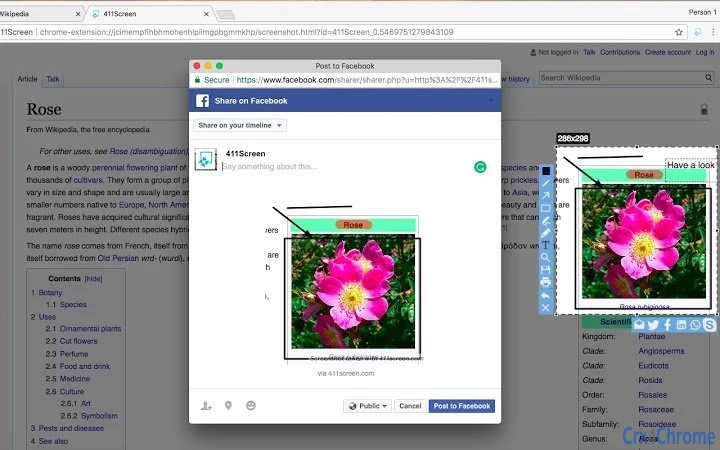
411Screen is the easiest way to take screenshot of your browser windows. within a click Capture, Edit, Search and Share.411Screen is an effective way to select screenshot and provide mutiple cool features:- Capture a full page or partial part of your browser page and easily define dimension of your selection- Edit: add patterns, shapes and text boxes to your screenshot; Resize and crop your screenshot; Add arrows or Highlight or hide part of your selection- Search: search for similar picture on the web with our search function- Share: send your selection to your favorite social network and share it or send your selection via email- Save or Print: once your done within your screenshot you can Save it to your computer or simply print it!For any further information refer to our video tutorial or contact us via contact@411screen.comhttp://www.411screen.com/terms-of-use.htmlhttp://www.411screen.com/privacy-policy.html

Guides & Tutorials for 411Screen Extension for Chrome

How to install 411Screen Extension for Chrome
  1. Click the Preview / Download button above.
  2. Once redirected, accept the terms and click Install.
  3. Wait for the 411Screen Extension for Chrome download to finish on your device.
How to use 411Screen Extension for Chrome

This software is primarily used for its core features described above. Open the app after installation to explore its capabilities.

User Reviews for 411Screen Extension for Chrome 0

    No reviews found

Similar Apps


